Comparison Display: A Typeface Built for Bold Contrast
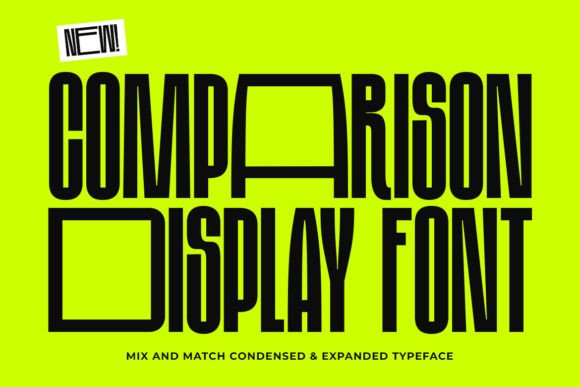
Imagine a font that does the work of two. On one hand, you have a powerful, wide-stance uppercase that commands attention from across the room. On the other, a refined, space-saving lowercase that delivers information with crisp efficiency. This is the core idea behind Comparison Display, a modern typeface designed not just to be seen, but to create immediate visual interest through its inherent duality. It’s a tool for designers who understand that the right typography can set a mood, tell a story, and make a brand unforgettable without saying a word.
The Anatomy of a Modern Mix-and-Match Font
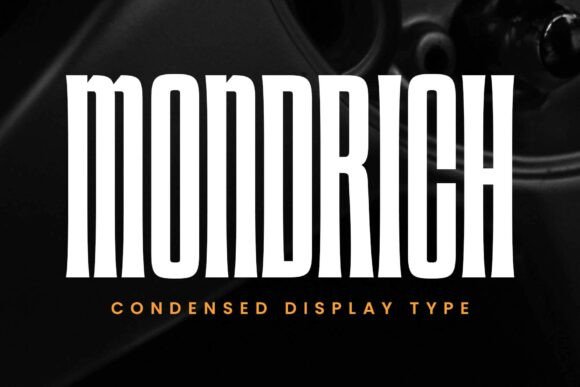
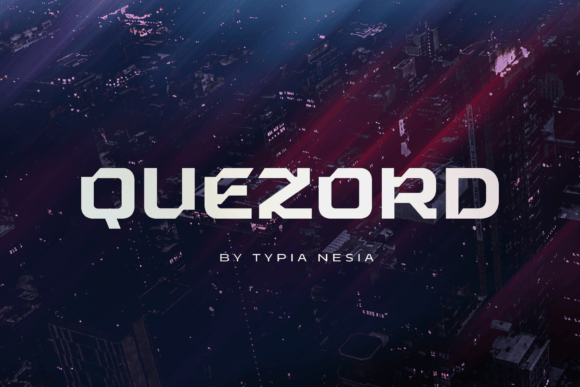
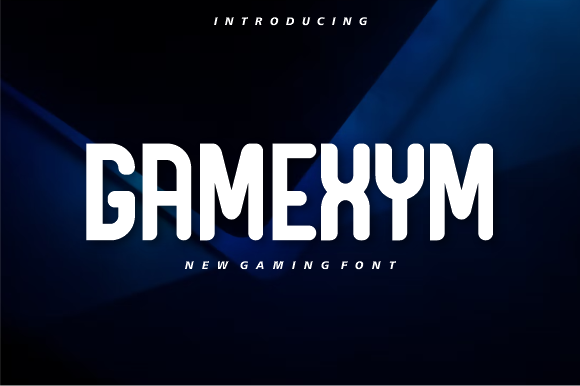
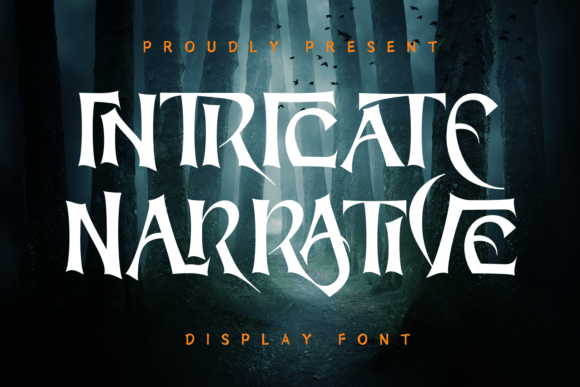
What makes Comparison Display stand out in a sea of premium fonts is its intentional design contrast. The uppercase letters are rendered in an expansive, bold sans-serif style. They’re built to dominate headlines, logos, and hero sections, providing a solid, confident foundation. The lowercase letters, however, switch to a sleek, condensed sans-serif design. This shift creates a dynamic rhythm when text is set, allowing for more words per line without sacrificing the bold impact of the uppercase start. Think of it as a typographic conversation: the uppercase makes a grand statement, and the lowercase provides the clear, supporting details.
This isn't just a novelty. This structured contrast solves real design problems. For social media graphics where space is at a premium, the condensed lowercase keeps your message concise. For a logo, the bold uppercase initials paired with a condensed wordmark create a balanced, memorable mark. It’s this kind of practical versatility that makes Comparison Display more than just a creative font—it becomes a core component of a flexible design system.
Where This Type of Typography Truly Shines
Understanding the personality of a font is key to using it effectively. Comparison Display’s blend of playfulness (from the mix) and power (from the bold uppercase) makes it exceptionally adaptable. Here’s where it can make a tangible difference in your projects:
- Brand Identity & Logo Design: The font’s dual nature is perfect for creating logos that need both impact and legibility. Use the bold uppercase for the brand name and the condensed style for a tagline or descriptor. This built-in hierarchy ensures your logo works at any size, from a favicon to a storefront sign.
- Packaging Design: On a crowded shelf, packaging needs to pop. The expansive uppercase grabs attention, while the condensed lowercase efficiently communicates product details, ingredients, or instructions. It helps create a clean, modern look that feels both professional and approachable.
- Editorial & Web Design: For blogs, magazines, and websites, Comparison Display can energize layouts. Use it for article titles and pull quotes to create striking visual breaks. Its condensed lowercase is excellent for subheadings or bylines, maintaining readability while contributing to a cohesive typographic style.
- Marketing & Social Media: From Instagram carousels to Facebook ads, this font helps create graphics that stop the scroll. The contrast is inherently eye-catching, making your key message clear even on small screens. It’s a fantastic choice for creating a consistent, recognizable look across all your digital marketing assets.
- Print Materials & Merchandise: Posters, flyers, business cards, and even merchandise like T-shirts or mugs benefit from a font with personality. Comparison Display gives you the flexibility to design bold statements and detailed information with a single, cohesive typeface, ensuring your print materials look polished and intentional.
Making It Work: Practical Tips for Your Projects
Having a versatile typeface is one thing; using it well is another. Here’s some practical advice for integrating a mix-and-match font like Comparison Display into your workflow:
- Start with Your Goal: Are you aiming for a bold, disruptive feel or a clean, modern aesthetic? Use the uppercase for maximum impact in headlines. For longer blocks of text where space is tight, lean on the condensed lowercase. Let the project’s objective guide which style you emphasize.
- Test for Readability: Always test your text at the actual size it will be viewed. While the condensed lowercase is efficient, ensure it remains legible on a mobile screen or when printed small. The beauty of Comparison Display is that its sans-serif roots are designed for clarity, but a quick test is always worth the effort.
- Explore Font Pairings: While Comparison Display is powerful on its own, pairing it with other typefaces can expand its utility. Consider a simple, neutral serif font or a clean sans-serif for body copy. This allows your display font to do the heavy lifting in headlines without overwhelming the page.
- Review All Included Styles: A good commercial font family often includes multiple weights or alternates. Before you start, check what’s included. You might find a regular, bold, or even italic version that offers even more flexibility for creating nuanced typographic hierarchies within your design.
- Understand the License: For any project intended for commercial use—whether it’s a client’s logo, a product you sell, or marketing materials—ensure you have the correct commercial license. This protects both you and the font designer and is a standard part of professional practice.
Building a Visual Language with Contrast
Ultimately, the power of a font like Comparison Display lies in its ability to build a cohesive visual language through controlled contrast. It helps improve brand recognition by giving you a unique and consistent typographic tool. The deliberate shift between expansive and condensed forms creates a professional presentation that feels both deliberate and dynamic. This visual interest naturally boosts audience engagement, as the eye is drawn to the interplay of shapes and sizes.
Choosing the right typography is a foundational decision in any design project. It’s not just about picking something that looks nice; it’s about selecting a tool that communicates the right values, ensures readability, and supports your overall goals. Comparison Display offers a compelling solution for projects that demand both flair and function, proving that the most effective design often comes from the smart balance of opposites.